One.com Website Builder Review
WebBuildersGuide.com earns commission from some of the web builders and hosting providers listed on this website. Learn moreThis is an independent review of the website builder from one.com, one of Europe’s largest web hosting providers and domain registrars. According to group.one, the group it belongs to, around a million small businesses across Europe use its services. Like many hosting companies, one.com has long offered its customers its own website builder. In 2026, the company rethought how that builder should work and rebuilt it from the ground up around AI. The idea behind it is simple: most small business owners have no wish to learn a website editor, browse templates, or spend their evenings moving blocks around a page. They want a professional-looking website that does its job, and they want it quickly.
The result is Aida AI Website Builder, launched on May 29, 2026. Instead of a toolbar, you get a chat window, just like in ChatGPT, Claude, or any other AI assistant.
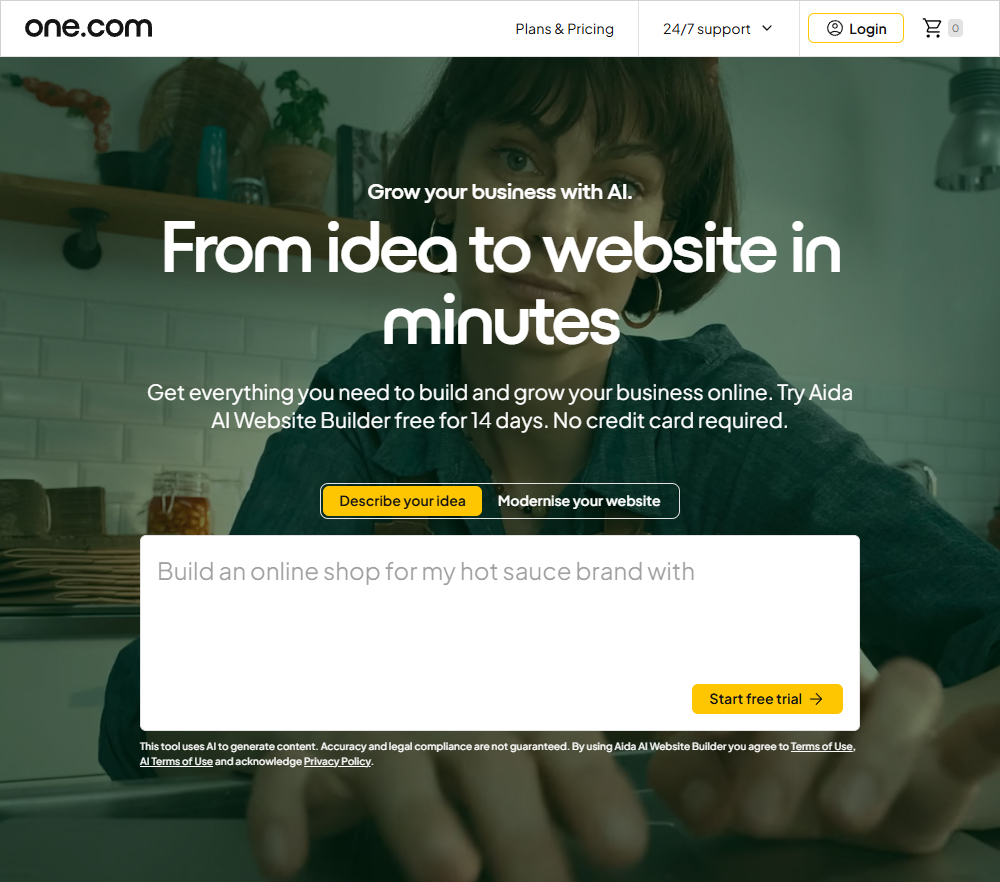
You type what you need in plain language: “build a website for my coffee shop with a menu and contact info,” “add an About Us page,” “make the colors warmer,” and so on. Basically, you’re chatting with an AI assistant, and Aida builds the pages, writes the copy, picks the images, and lays ou t the structure on its own – and it can do a lot more, as you’ll see in this review. It sounds futuristic, but it really is incredibly simple and convenient.
Who is Aida the perfect fit for?
After testing dozens of website builders, I realized long ago that there’s no such thing as a one-size-fits-all builder that wins at every task. And Aida from one.com is no exception.
For a large online store with thousands of products, complex integrations, and its own order logic, Aida may feel a bit cramped. one.com itself openly states that Aida isn’t yet a good fit for businesses with heavy customization, non-standard workflows, or multiple websites. For those needs, there’s Shopify, WooCommerce, and custom website development.
But for the vast majority of small businesses, Aida is a great fit . Think freelancers and consultants who need a simple business site or a portfolio. Salons, workshops, and studios where clients book appointments.
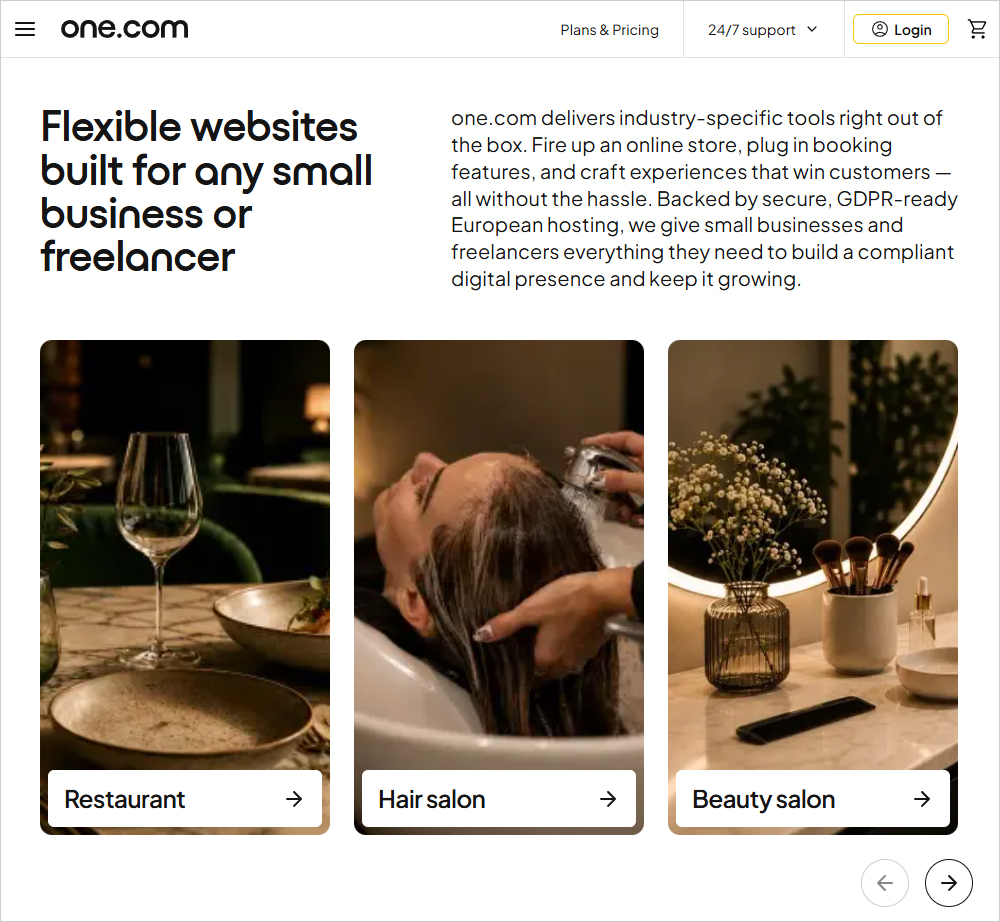
Small shops that sell dozens or hundreds of products, not tens of thousands. These people don’t need a builder that’s perfect by every measure – they need a site that launches fast, looks good, doesn’t eat into time for their actual work, and doesn’t cost a fortune. That’s exactly the problem Aida s olves – and it nails it.
The biggest advantage – a website you build by having a conversation
The main thing Aida gives you is simplicity. If you can send a text message, you can use Aida. No need to learn an editor, hunt for the right setting in a menu, or figure out why a block got misaligned on mobile. You describe your business – what you do, wh o your customers are, what you want your site to be. All you have to do is answer these questions in Aida’s chat:
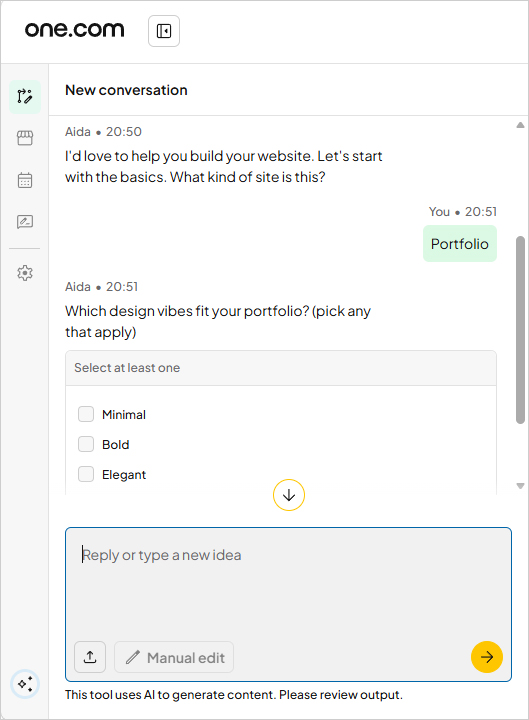
Based on your answers, Aida generates a complete multi-page website with copy, images, and structure. According to one.com, most users get thei r first draft in about 10 minutes, and a version they’re happy with in about eight messages.
From there, the site keeps evolving the same way – through conversation. Ask it to add a services page, rewrite the copy in a friendlier tone, change the color scheme, or add a contact form, and Aida takes care of it. You see and approve every change before it goes live. If you really don’t like the result, you can ask Aida to redo the whole thing – a major overhaul takes minutes, not days.
But what I personally liked is that with Aida, you’re not stuck in the AI chat, because there’s a manual editor for quick fixes. With it, you can edit text by hand, swap out an image, upload your own photo, rearrange sections, and preview how the site looks on desktop, tablet, and phone. The manual editor is simpler than the ones in classic, non-AI builders, but it gets the job done for minor tweaks.
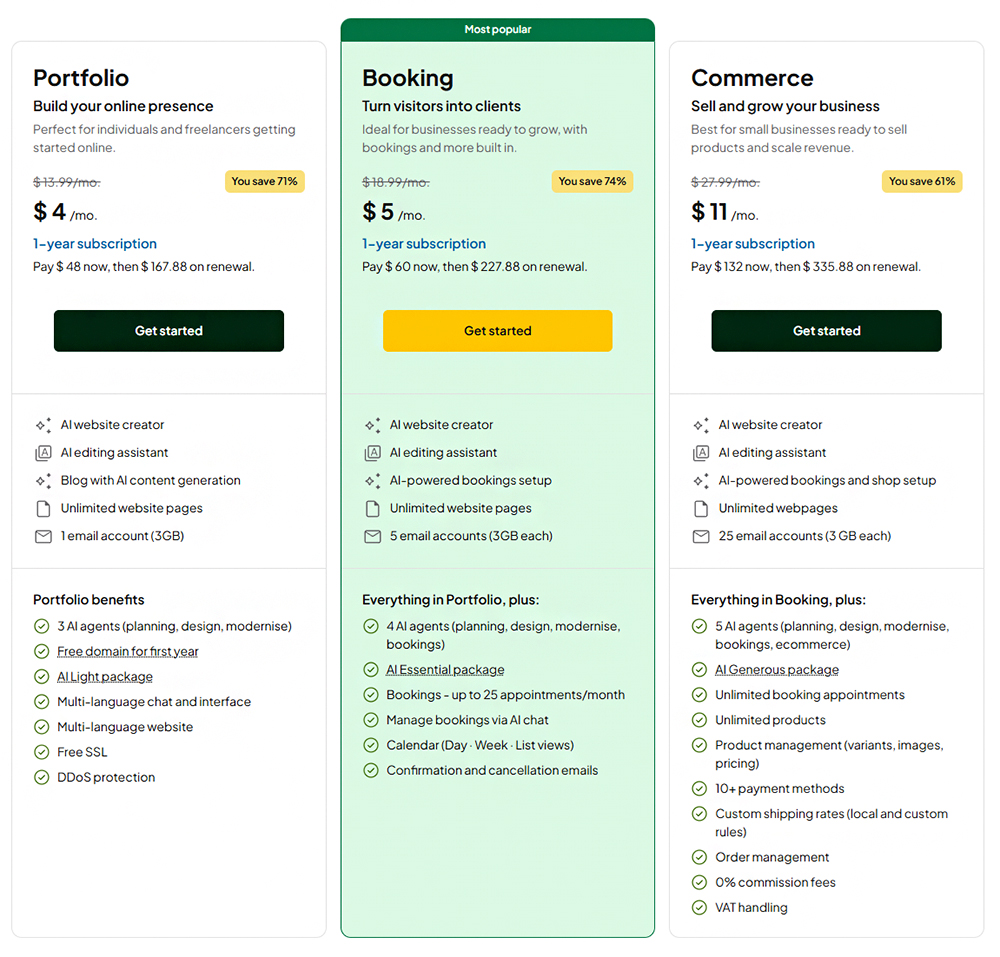
What else should you know? AI usage is capped by a monthly quota that depends on the plan you choose. On Portfolio, that’s the AI Light package – enough to build your site and keep it up to date. On Booking, it’s the Essential package, which also covers man aging appointments. On Commerce, it’s the Generous package, designed for ongoing work on your site, store, and bookings. You can track your usage right in the editor, and you get a heads-up at 80%, which is really handy.
But if you do run out, don’t worry – your site keeps running and accepting visitors, bookings, and orders, business as usual. You can still make edits by hand until your AI quota resets. The quota resets every month, and unused credits don’t roll over.
Modernise – the best way to refresh your website
Modernise is one of the features I liked most in Aida Website Builder.
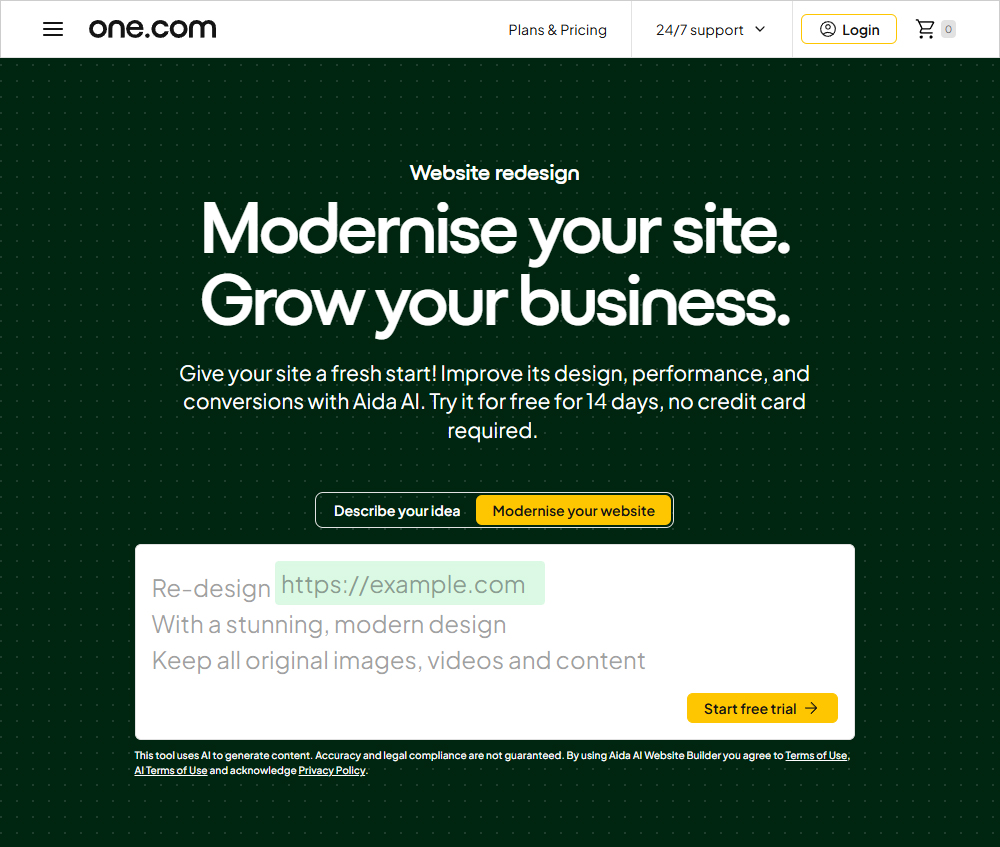
The thing is, a lot of people aren’t launching a website from scratch. Often they already have one – it’s just outdated: a decade-old design, it looks bad on phones, it’s missing key features. A redesign usually means either paying a web agency or spending lots of evenings manually moving over text and images. Even if you know your way around web design. Aida’s Modernise feature takes that grunt work off your plate.
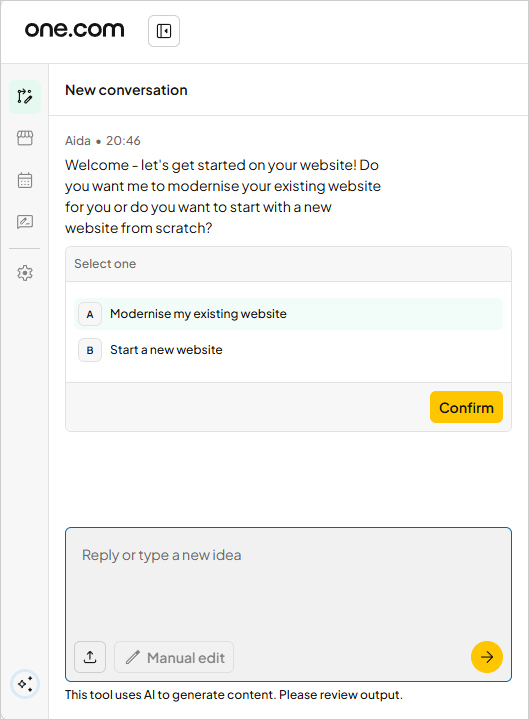
Here’s how it works: you paste in your current site’s URL, and Aida scans it. Your text, images, videos, and branding become the foundation for a new, modern, mobile-friendly version. Images from your old site are automatically saved to your media library s o you can reuse them. It doesn’t matter where your old site is hosted: another hosting provider, Wix, Squarespace, WordPress, or anywhere else.
Importantly, it’s a risk-free redesign. Your old site stays up and untouched the entire time. You can take your time refining the new version in the chat and decide for yourself when to launch it. For beginners, in my opinion, this is the most convenient ro ute – no starting from a blank page, no copying anything by hand, and you can see the result before you pay a cent.
To keep expectations in line with reality, one caveat: one.com is upfront that some features of your old site may not carry over. Modernise brings over your content and branding, not all of your site’s logic. That makes perfect sense, but I owe it to reader s to point it out. Custom forms, integrations, or complex sections will most likely need to be checked and, if necessary, finished up.
Website builder from a hosting company – why it matters
On top of the advantages already covered, there’s one more big difference between Aida and most AI website builders. Wix, Squarespace, and Shopify are closed platforms: your site lives on their servers, and you can’t go beyond the editor. But one.com is fir st and foremost a hosting provider with over 20 years of experience, and Aida’s plans are full-fledged hosting plans with the website builder running inside them.
What does that mean for you? A lot:
- • SSH – secure command-line access to the server;
- SFTP – upload and download files directly, bypassing the builder;
- MariaDB databases – from one on Portfolio to ten on Commerce;
- PHP 8 – the language that powers WordPress and most web applications.
And on top of all that, you get unlimited bandwidth, 4 GB of RAM, and 25 to 100 GB of storage :
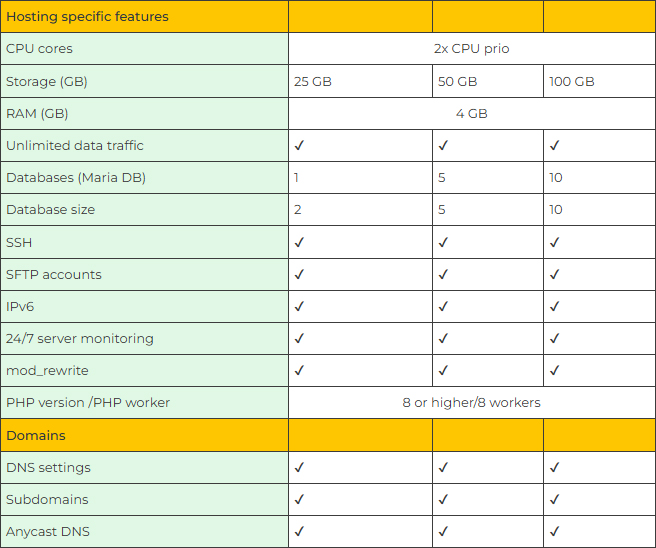
A beginner may never need any of this – and that’s fine, the site works perfectly well without it. But if you know your way around web technologies, you get full-fledged hosting bundled with the website builder. You can use it to host your own script, a uti lity page on a subdomain, or a small database without paying for separate hosting.
Another benefit is European infrastructure. Sites are hosted in data centers within the EU, since the company itself is European. For businesses serving customers in the European Union, this makes it easier to comply with GDPR, the EU’s data protection regu l ation. Every site comes with a built-in cookie consent banner, so there’s no need to install a separate plugin. Legal compliance is still the site owner’s responsibility, but the infrastructure side is already covered, which in my opinion is a real conveni ence for users in the EU.
Bookings and an online store – already included
For service businesses, online booking has long been the norm, but you usually have to pay extra for it – either a subscription to something like Calendly or a paid add-on from your website builder. With Aida, they’re included in the Booking and Commerce plans.
The booking system covers the whole basic cycle. You describe your services, and Aida sets up the booking form for you.
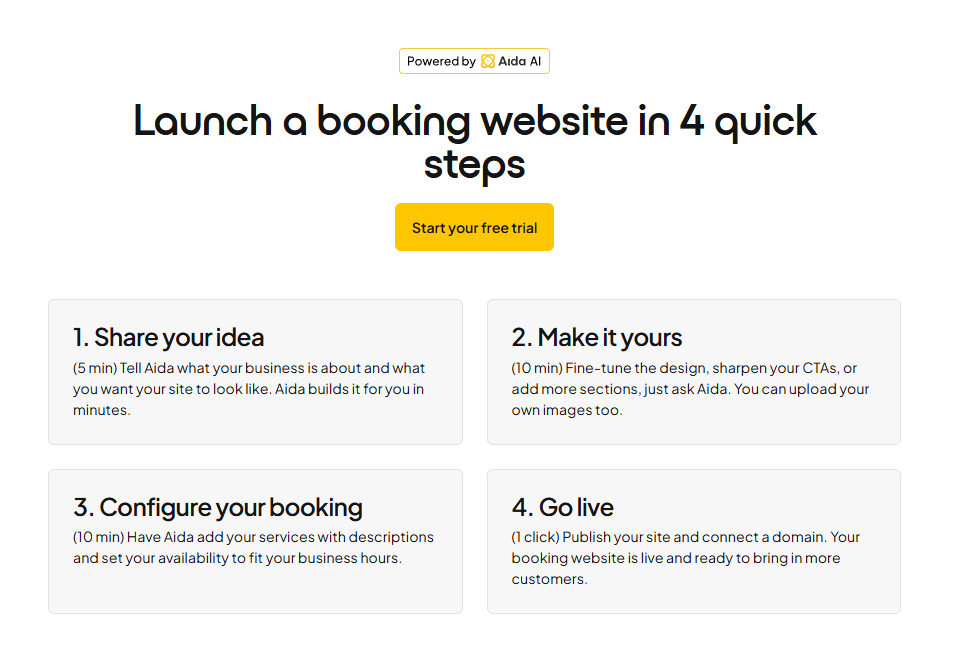
Clients book open slots 24/7, a client profile is created automatically with each booking, and confirmations and cancellation notices go o ut without you lifting a finger. There’s a calendar with day, week, and list views, and recurring appointments are supported. Bookings sync with Google Calendar and Outlook, so they show up in the calendar you already use, and double bookings don’t happen. You can also manage your schedule through the chat. The Booking plan allows up to 25 appointments per month; Commerce has no limit.
The Commerce plan adds an online store: unlimited products, variants (size, color), 10+ payment methods, shipping and tax settings, inventory tracking, and order management. You can sell physical products, digital files, gift cards, and services. Aida will even write your product descriptions based on your photos and details.
No commission on eCommerce sales
Another big plus for anyone selling online. one.com doesn’t take a cut of your sales – you only pay a flat monthly subscription:
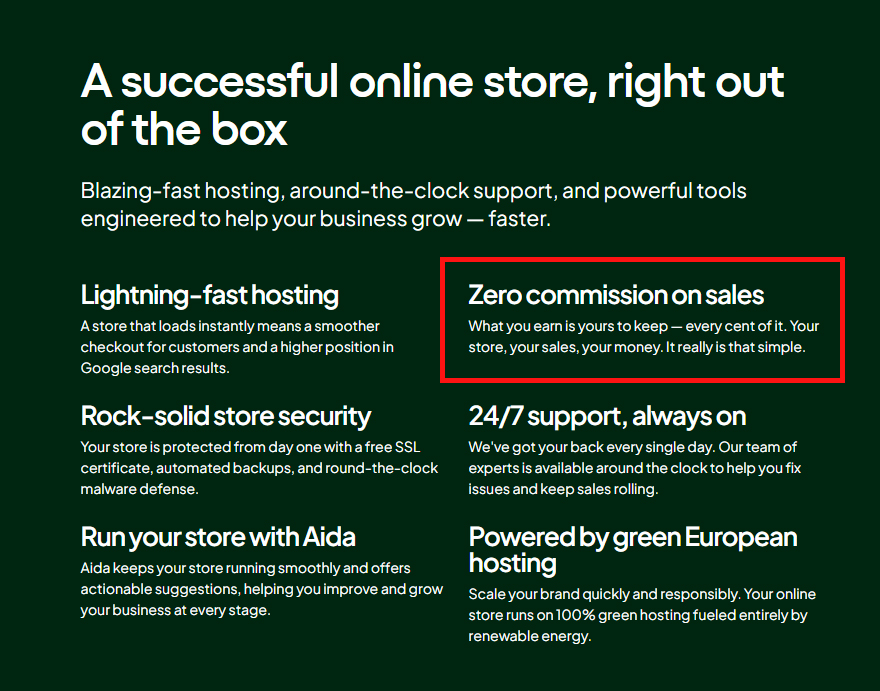
Payments are processed through Shore Pay, the group’s Stripe-based payment service, so you’ll still pay standard card processing fees – just like on any other platform. But one.com doesn’t add a commission of its own on top.
For comparison: on its Basic plan, Shopify charges an extra 2% on every sale if you accept payments through anything other than its own payment system.
Security and the freedom to experiment
When AI builds and later edits your site, it’s natural to worry – what if the AI breaks something that was already working? I’ve heard webmasters ask this more than once.
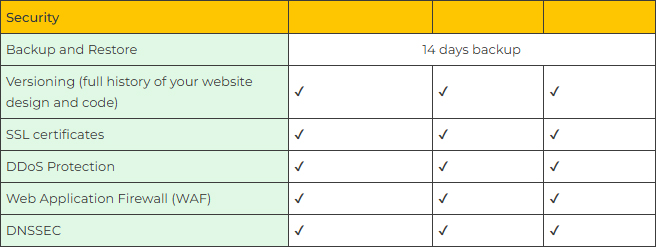
But Aida has this covered. For exactly this situation, it keeps a full version history of your site’s design and code, so you can roll back to any previous state. On top of that, it stores backups for the last 14 days. You can experiment freely – if somethi ng isn’t right or didn’t turn out the way you wanted, you can always go back a step. Or several steps. It’s convenient and safe.
Speaking of security, protection against outside threats is also included in every plan at no extra cost. That means an SSL certificate, DDoS protection, a WAF (a filter that blocks malicious requests to your site), and DNSSEC, which protects your domain fr om address spoofing:
Not bad at all, if you ask me – on most website builders, some of these features are only available on the priciest plans, or not at all.
Additional integrations and SEO
Aida doesn’t limit your site to what it offers out of the box. Through the chat, you can add embed code – a snippet from a third-party service: a newsletter signup form, a map, a media player, an analytics pixel. You can connect widgets, display your Instag ram feed, and add background videos to sections. You can make the site multilingual, and the chat and interface themselves also work in several languages.
For marketing, there are basic SEO tools: titles and descriptions for every page, OG tags (which control how your link looks when it’s shared on social media), plus sitemap.xml and robots.txt files for search engines. There’s also a blog, and Aida can write the posts for it on its own. And if a tool isn’t available out of the box, you can almost always add it with that same embed code. All in all, there are plenty of extra options – you just need to decide what exactly you want on your website.
Everything in one subscription
The typical small business website story: your domain is with one registrar, hosting with another, email on Google Workspace, and bookings in yet another service. Four bills, four dashboards, and when something goes wrong, it’s anyone’s guess who’s to blame . Aida bundles it all into one subscription: a domain (free for the first year on select extensions), hosting, SSL, email on your own domain, and the website builder itself.
A mailbox like info@yourdomain is created automatically, and that’s where your site’s inquiries and store notifications land. Support is staffed by real people 24/7, and you can upgrade or downgrade your plan anytime.
How it compares to Wix and Shopify
In terms of pure design capabilities, Wix and Shopify are stronger: they have more templates, more flexible editors, and huge app marketplaces built up over many years. But let’s look at what it costs to get the same things Aida gives you for its price.
On Wix, online booking and ecommerce only unlock starting with the Core plan – about $29 a month, billed annually. Wix doesn’t include professional email on your own domain — that requires a separate Google Workspace subscription. Shopify’s Basic plan costs $39 a month (or $29 billed annually) and is built primarily for selling; if you use a third-party payment provider, it adds 2% to every sale. Neither Wix nor Shopify gives you server access – SSH, SFTP, databases – because they’re closed platforms where yo u’re renting a website builder, not hosting.
Aida’s Commerce plan, at $20.99, gives you a store with no commission on each sale, unlimited online booking, 25 mailboxes, and real hosting. That doesn’t mean Aida is better than Wix or Shopify – it means it offers a different deal: less design freedom, bu t more core infrastructure, and for less money. Plus the simplicity and convenience of editing and customizing everything right in the AI chat.
How to try it risk-free
You can try Aida free for 14 days, no credit card required. During that time, you can generate a site from scratch, move your current site over with Modernise (if you have one), ask Aida to redo everything, and compare the options. You only pay when you pub lish your site, and by then you’ve already seen the finished result.
My verdict on Aida
Aida isn’t a perfect builder for every situation, and it doesn’t try to be. If you need pixel-perfect control over your design or a truly large online store, you’re better off looking at Shopify or even WordPress. But be ready for a learning curve, bigger c osts, and a lot more time spent building your site.
But for most small businesses – freelancers, service companies, small shops – Aida is probably one of the simplest and most affordable ways to get a modern website: describe it in a chat, bring over content from your old site with a single link, and get hos ting, email, a domain, online booking, and a commission-free online store in one subscription.
And anyone who knows hosting will also appreciate that this is a website builder from a professional hosting company, with all the perks that come with it: server access and European infrastructure – something even better-known platforms don’t offer for the same money.

No comments yet